
Apr 06 2026
How to Download & Use MyChart to Manage Your Health
Summary
Using MyChart empowers you to take an active role in your health journey. Whether you’re visiting a clinic or staying in the hospital, MyChart helps you stay informed, connected and in control of your care.
What is MyChart?
MyChart provides you with online access to your medical record. It can help you participate in your healthcare and communicate with your providers.
From MyChart, you can:
- Review summaries of your previous appointments, including issues addressed during each visit, your vital signs, and tests or referrals that were ordered.
- View your medications, including dosage information and instructions, and request a refill.
- View new lab results, as well as trends over time. For example, view results for your past cholesterol tests on a graph to see if you're close to meeting your target number.
- Access your family members' medical records. For example, you can view your child's growth charts, immunization history, and upcoming appointments.
This guide provides an overview of many of MyChart's features and how to use them.
How to Sign Up for MyChart
To sign up for MyChart, you must be at least 14 years old. There are several different methods of MyChart signup that might be used by different departments across North Mississippi Health Services:
- Clinic or hospital staff might sign you up directly while you're at the front desk or in the exam room.
- You might receive a MyChart activation code on your After Visit Summary.
- If you are 18 or above, you might be able to use self-sign up online to create a MyChart account by matching your information against what is on file in your medical record. If you are under age 18, the patient or proxy must be in the clinic or hospital in person to be activated for their account.
What if I don't have a MyChart activation code?
You can now sign up for MyChart with no activation code.
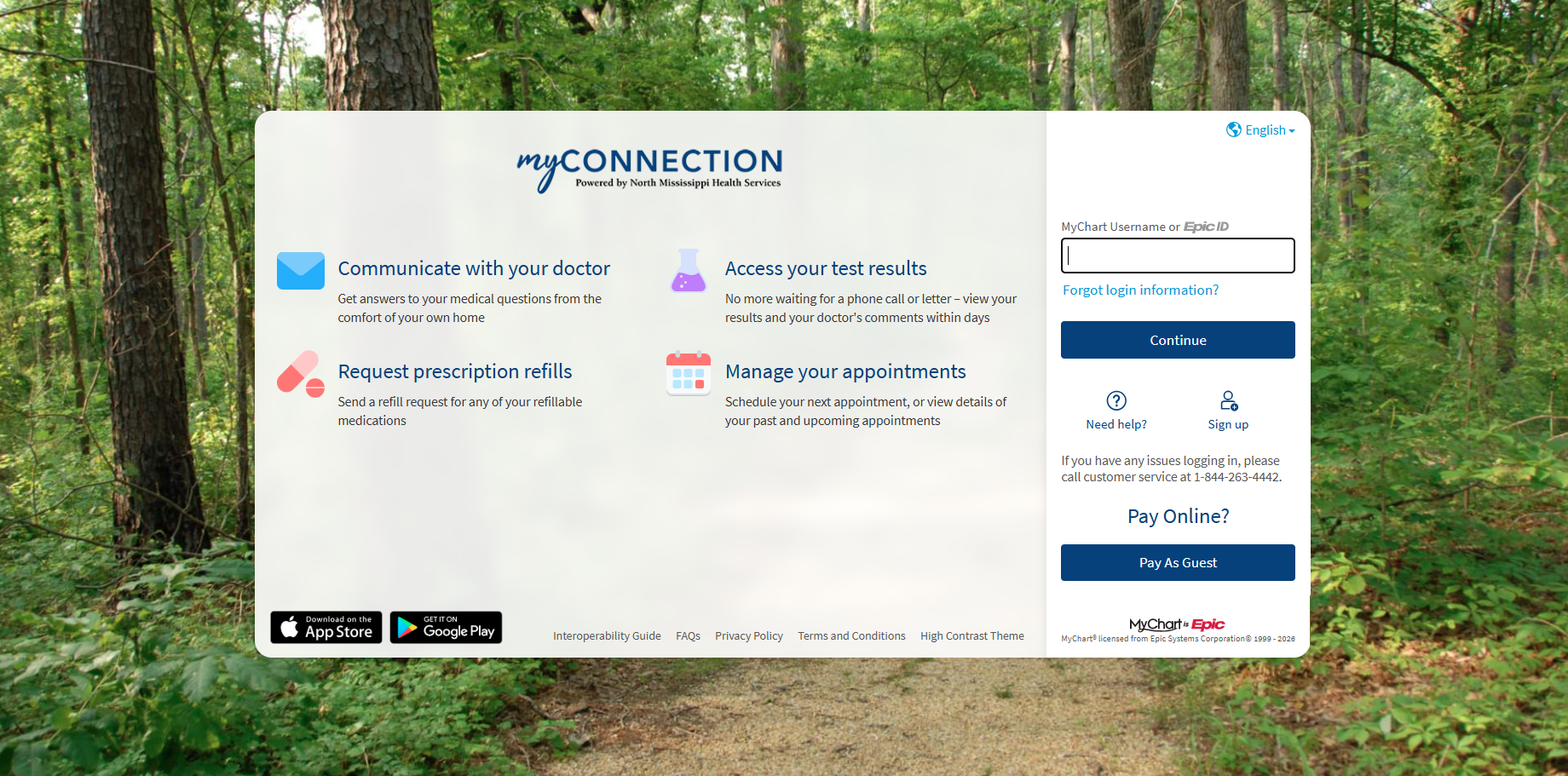
1. On the MyChart login page, click Sign Up.
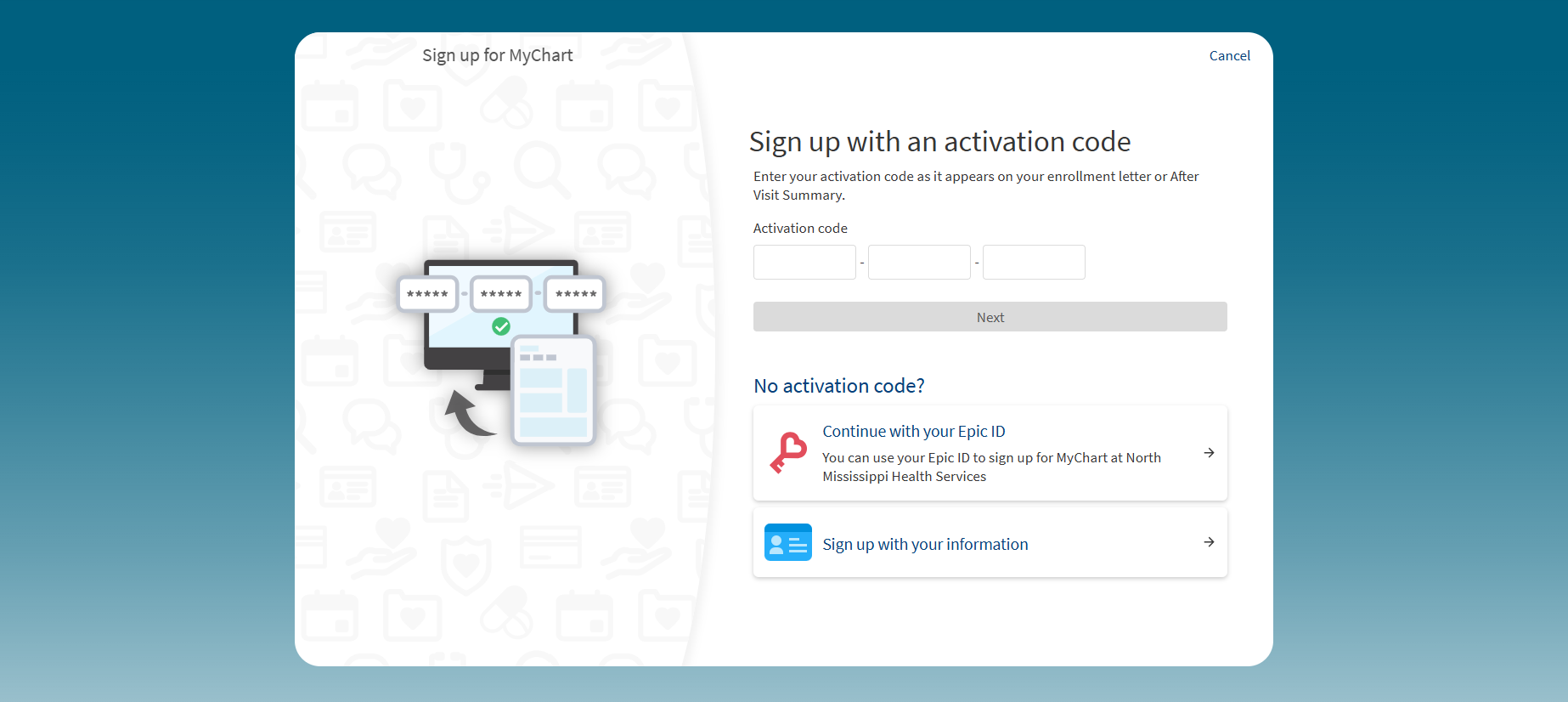
2. Click Sign up with your information.
3. Enter your contact information and verify your identity to create a MyChart account.
How to access MyChart from a mobile device
To access MyChart on your mobile device, download the MyChart app from your app store, log in with your credentials, and navigate your health information easily.
Steps to Access MyChart on Mobile
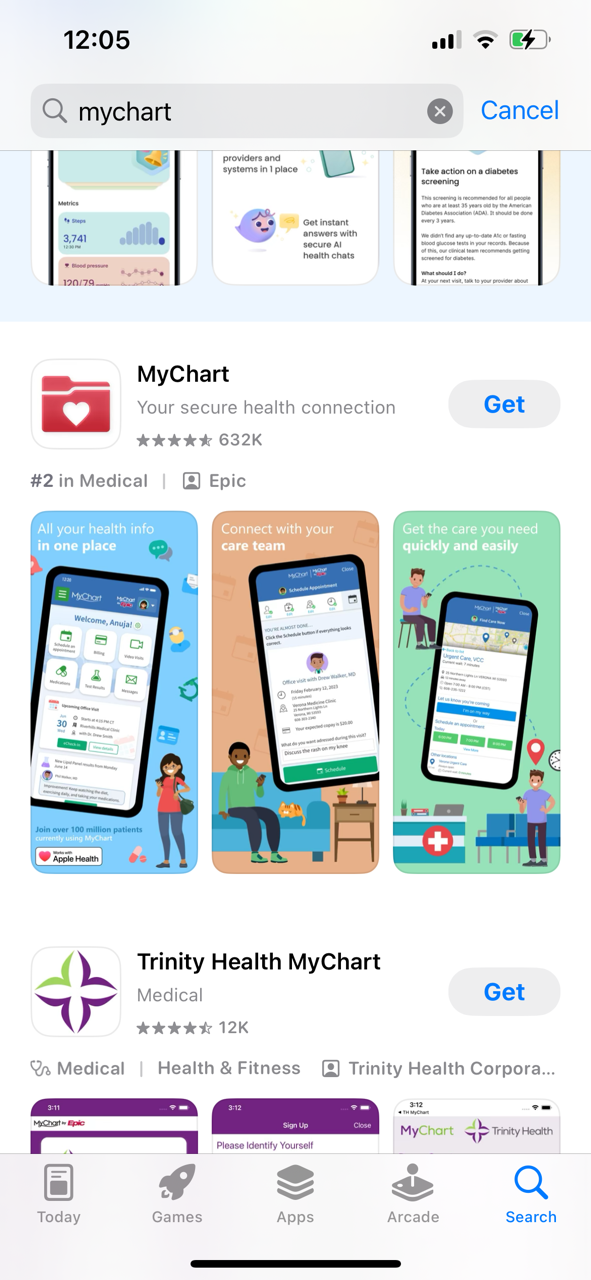 Download the MyChart App:
Available on iOS and Android for easy access on the go.
- For iOS users: Open the App Store, search for "MyChart," and download the app developed by Epic Systems Corporation.
- Android users: Open the Google Play Store, search for "MyChart," and download the app with the same developer.
Open the App:
Once installed, tap the MyChart icon on your home screen to open the app.
Log In:
Enter your MyChart username and password. If you don’t have an account, you can tap "Sign Up" to create one.
If you forget your login information, use the "Forgot Username?" or "Forgot Password?" options for assistance.
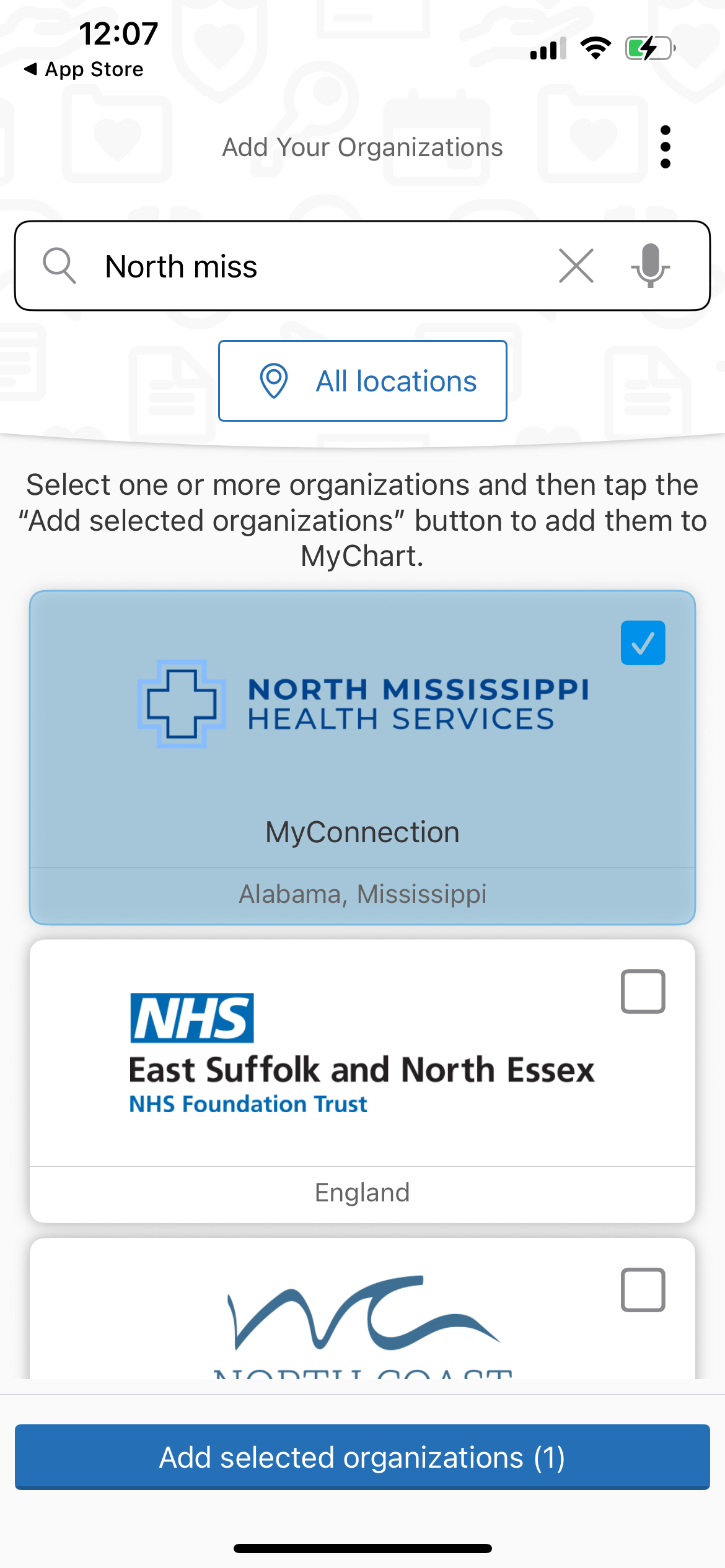
Select Your Healthcare Organization:
If prompted, search for and select North Mississippi Health Services from the list to access your specific health information.
Enable Notifications (Optional):
After logging in, you may be asked to enable notifications. This can help you receive reminders for appointments, test results, and messages from your healthcare provider.
Having issues with MyChart? Call our MyChart customer service line at (844) 263-4442. Please note that you must be able to verify your date of birth, zip code, home phone number and email address on record. The activation code will be sent to your email address on file.

MyChart (also known as myConnection)
Schedule your next appointment, start an E-visit, communicate with your doctor, request prescription refills and access your test results — just a click away.
Related Links
Topics
- Digital Access
- Managing Your Health
Share

Subscribe to Our Newsletter
Like this content and want to get more? Sign up for True North, the health and wellness newsletter from North Mississippi Health Services!
Subscribe to Our Newsletter
Like this content and want to get more? Sign up for True North, the health and wellness newsletter from North Mississippi Health Services!
Nurse Link®
Not sure if you need Urgent Care or the ER? Call 1-800-882-6274 anytime to speak directly to a registered nurse and get immediate answers. Using computerized medical protocols, nurses direct callers to the most appropriate treatment. Our nurses are available 24 hours per day, seven days per week.